
Users, roles and permissions
Admins with the users.manage permission manage people under Administration → Users and Administration → Roles.
How access works
- A role is a named set of permissions. You can create as many as you like.
- A user gets one or more role assignments. Each assignment is either for all clusters or for one cluster.
- A user only sees clusters where they have at least
cluster.view. - Global permissions (managing users, clusters, settings and alerts) only count when the role is assigned for all clusters.
So "Operator on staging, Viewer on production" is two assignments for one user.
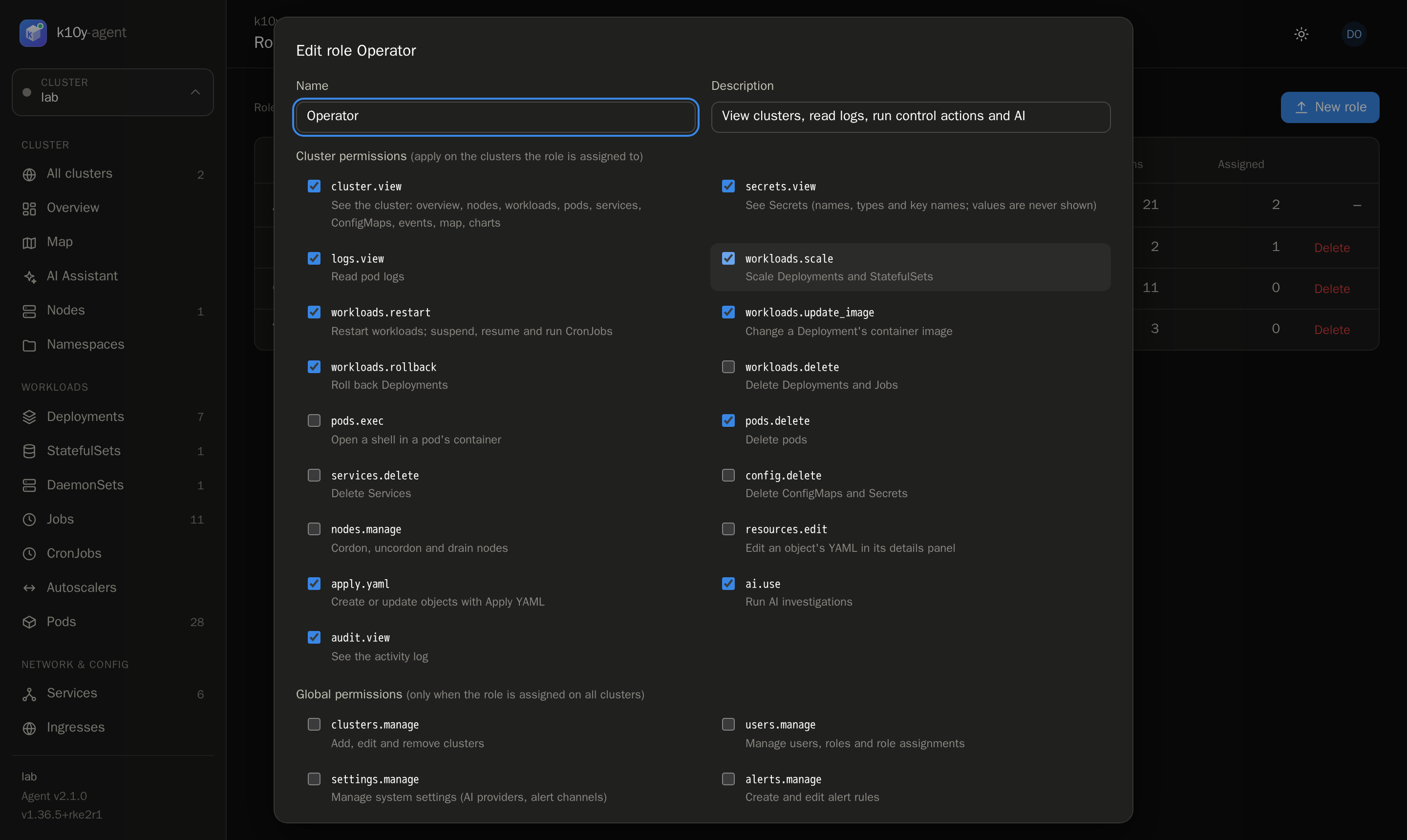
Permissions
Per cluster
| Permission | Allows |
|---|---|
cluster.view | See the cluster: overview, nodes, workloads, pods, services, ConfigMaps, events, map, charts |
secrets.view | See Secrets (names, types and key names; values are never shown) |
logs.view | Read pod logs and live logs |
workloads.scale | Scale Deployments and StatefulSets |
workloads.restart | Restart workloads; suspend, resume and run CronJobs |
workloads.update_image | Change a Deployment's container image |
workloads.rollback | Roll back Deployments |
workloads.delete | Delete Deployments and Jobs |
pods.exec | Open a shell in a pod's container |
pods.delete | Delete pods |
services.delete | Delete Services |
config.delete | Delete ConfigMaps and Secrets |
nodes.manage | Cordon, uncordon and drain nodes |
resources.edit | Edit an object's YAML in its details panel |
apply.yaml | Create or update objects with Apply YAML |
ai.use | Run AI investigations |
audit.view | See the activity log |
Global (assign on all clusters)
| Permission | Allows |
|---|---|
clusters.manage | Add, edit and remove clusters |
users.manage | Manage users, roles and role assignments |
settings.manage | Manage system settings (AI providers, alert channels) |
alerts.manage | Create and edit alert rules |
Built-in roles
| Role | Permissions |
|---|---|
| Admin | Everything. It can't be edited or deleted. |
| Operator | View, logs, Secrets, scale, restart, update image, roll back, delete pods, edit YAML (new installs), apply YAML, AI, audit. Not the shell. |
| Viewer | View, logs and audit. |
Operator and Viewer are starting points: edit them or create your own.
Add a user
Users → New user: username, display name, a starting password, and one or more role assignments. Keep Must change password at next login ticked so they choose their own.
Day-to-day
- Reset a password: open the user, type a new password and save. They're signed out everywhere and must change it at the next sign-in.
- Disable an account: Disable on the Users page. They're signed out immediately and can't sign in until enabled again.
- Sign a user out: Sign out signs them out of every device. See Sessions.
- Delete a user: their past actions stay in the audit log under their username.
There must always be at least one active user who can manage users on all clusters. k10y won't let you remove the last one.
Example roles
| Role | Permissions | Assign |
|---|---|---|
| Developer | cluster.view, logs.view | production only |
| Developer (staging) | Operator permissions + pods.exec | staging only |
| On-call | Operator permissions + nodes.manage | all clusters |
| Auditor | cluster.view, audit.view | all clusters |