Skip to content
New in 2.1: pod shell, YAML editing, sessions

Every cluster.
One calm place.

k10y-agent is an open-source control room for Kubernetes. Monitor, troubleshoot and safely change every cluster from one dashboard, with roles, audit, alerts and an AI assistant built in.

Self-hosted · Free and open source · Your cluster data stays on your servers
k10y / lab / overview
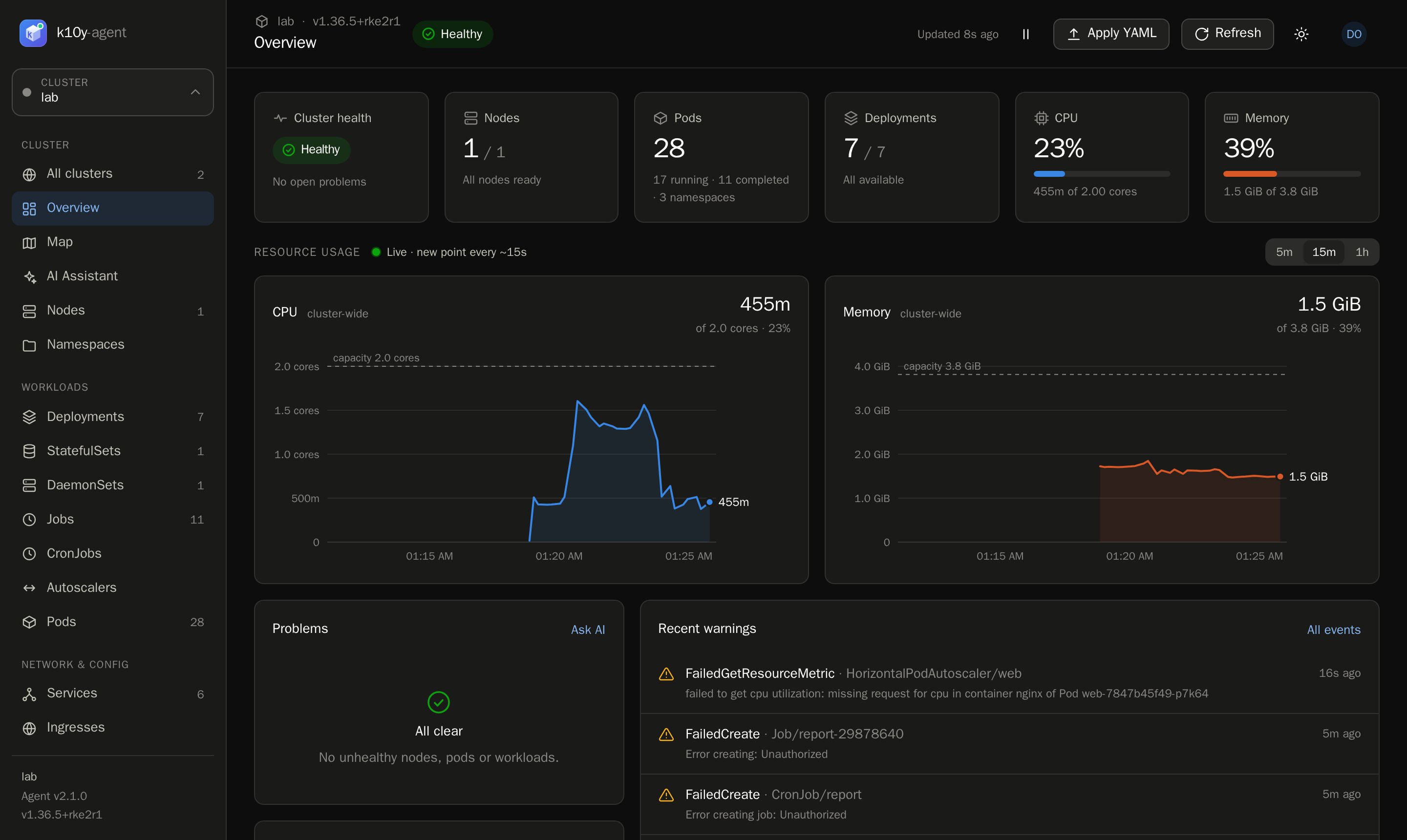
Live health: Health, problems, CPU and memory for every cluster, updated live.Live logs: Follow the logs of every pod of a workload in one stream, tagged by pod.Pod shell: Open a terminal in any container from the browser. Every session is audited.Edit YAML: Edit like kubectl edit, review a diff, dry run, then save.Alerts: Rules for broken workloads, CPU and memory, and unreachable clusters, sent to Telegram.Map: See how Ingresses, Services, workloads, Pods and config connect.

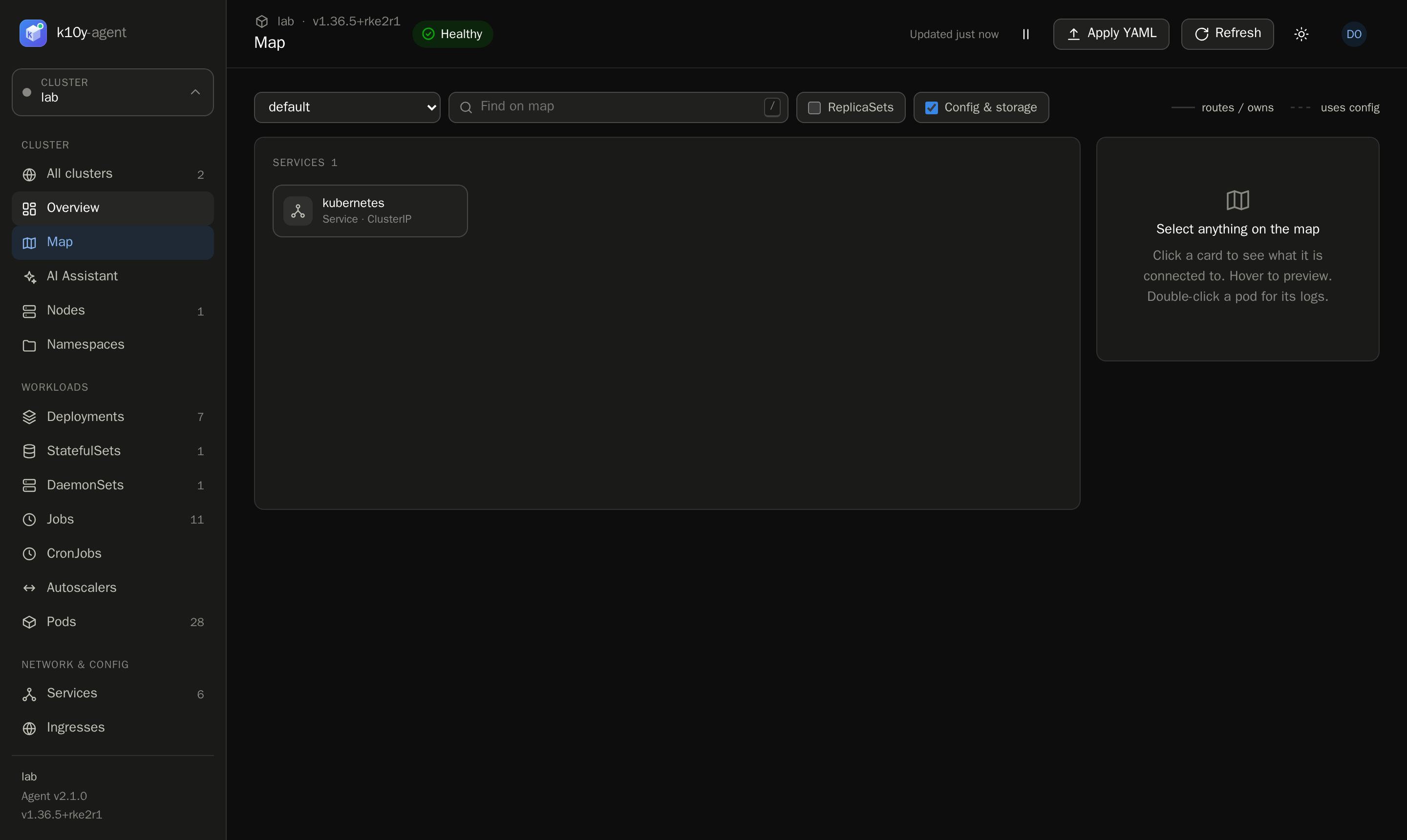
Health, problems, CPU and memory for every cluster, updated live.

Works with the Kubernetes you already run

  • Kubernetes
  • RKE2
  • k3s
  • Amazon EKS
  • Google GKE
  • Azure AKS
  • Docker Compose
  • PostgreSQL
  • Telegram
  • Google Gemini
  • OpenAI-compatible APIs
  • amd64 + arm64
2commands to install
27pages in the dashboard
21fine-grained permissions
Everychange audited, with who made it
0kubeconfigs handed out
Get started

Two commands. Five minutes.

Run the hub anywhere Docker runs, then add a small agent to each cluster. No Ingress, no Helm charts, no agents phoning home.

1 · Start the hubDocker Compose: hub + PostgreSQL + automatic backups
curl -LO https://github.com/zorouzumaki1111-cmd/k10y-agent/releases/latest/download/docker-compose.yml
make hub-up   # or: create .env, then docker compose up -d
2 · Add each clusterOne manifest; the agent creates its own API token
kubectl apply -f https://github.com/zorouzumaki1111-cmd/k10y-agent/releases/latest/download/install.yaml

Read the quick start →

Use cases

Built for the people who keep clusters running

Platform teams

Run many clusters from one screen

Lab, staging and production side by side, with a health dot for each. When one cluster is down, the rest keep working.

Safe self-service

Give developers access without kubeconfigs

A role per cluster: view and logs on production, scale and restart on staging. Developers never hold credentials, and every click is audited.

On-call

Get alerted, then fix it from your phone

A crash loop fires a Telegram message, with an optional AI diagnosis. Open k10y, check the live logs, roll back. Done.

Troubleshooting

Let AI explain a CrashLoopBackOff

The assistant reads events, specs and logs with read-only tools, finds the root cause and proposes a fix. A person reviews it before anything changes.
See

See + understand

Live charts
CPU and memory for the cluster, every node and every pod, with request and limit lines.
Problems first
Crash loops, failing image pulls, pending pods, NotReady nodes and failed jobs, before you go looking.
Every resource
Deployments to PVCs, CronJobs to autoscalers, each with a details panel, related objects, YAML and events.
k10y / lab / overview
See + understand
Control

Control + break nothing

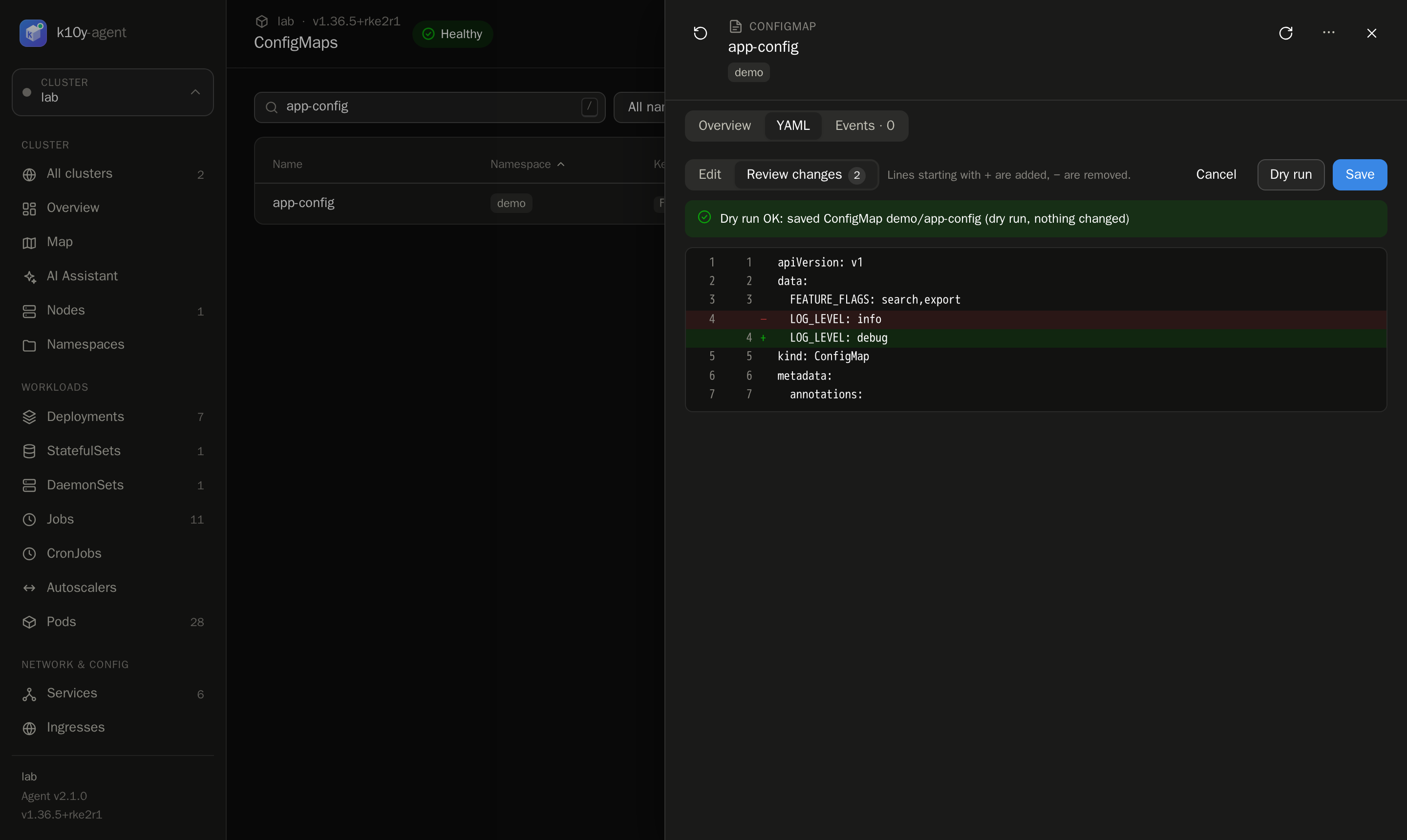
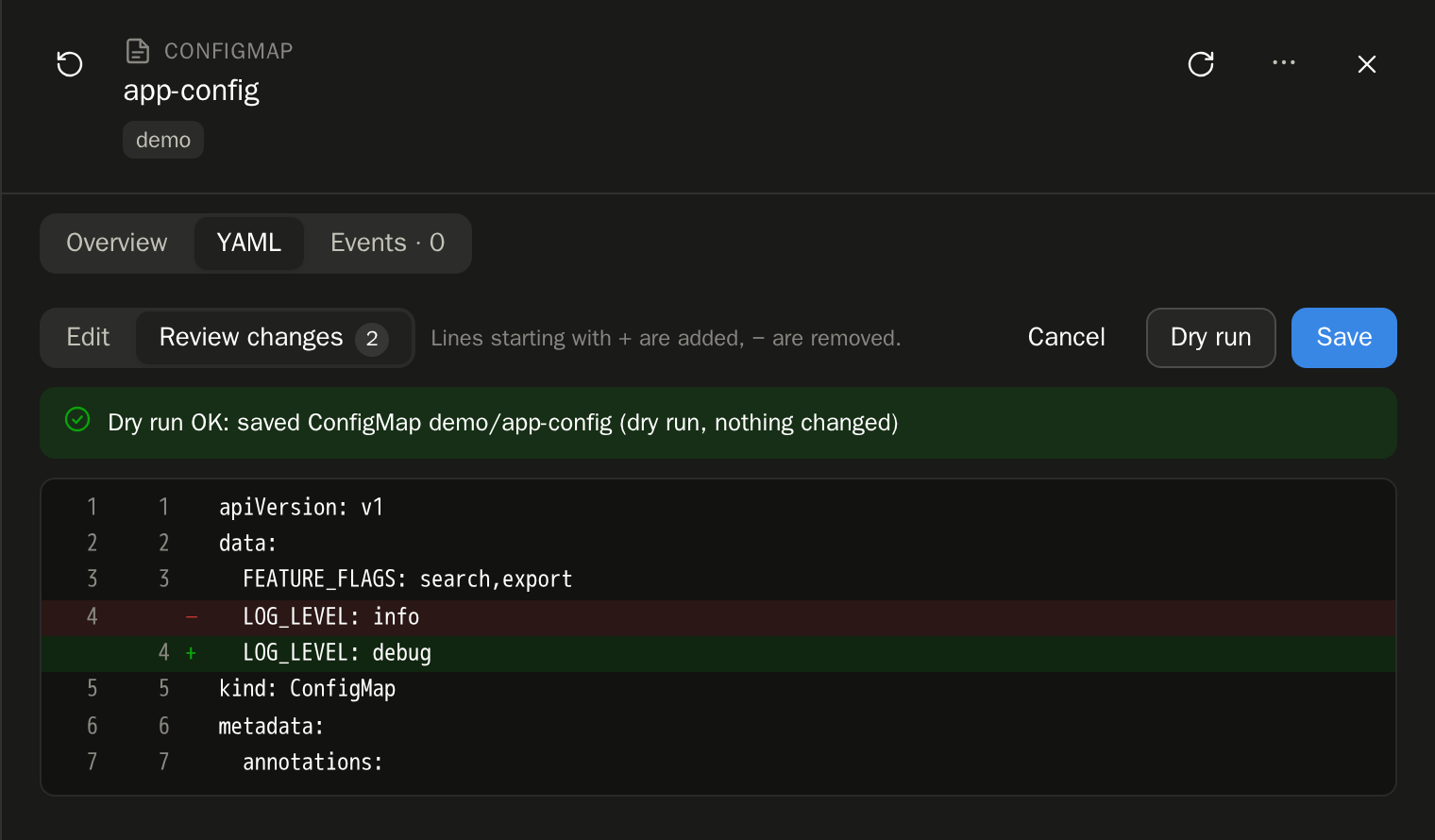
Dry run everything
Scale, restart, roll back, drain, apply or edit YAML: see the result before it happens.
Guardrails
Protected namespaces, typed confirmation for destructive actions, and conflict checks when editing.
Least privilege
Read-only installs are one manifest. Write access is opt-in and can't create RBAC or CRDs.
k10y / lab / configmaps / app-config
Control + break nothing
Respond

Respond + fix fast

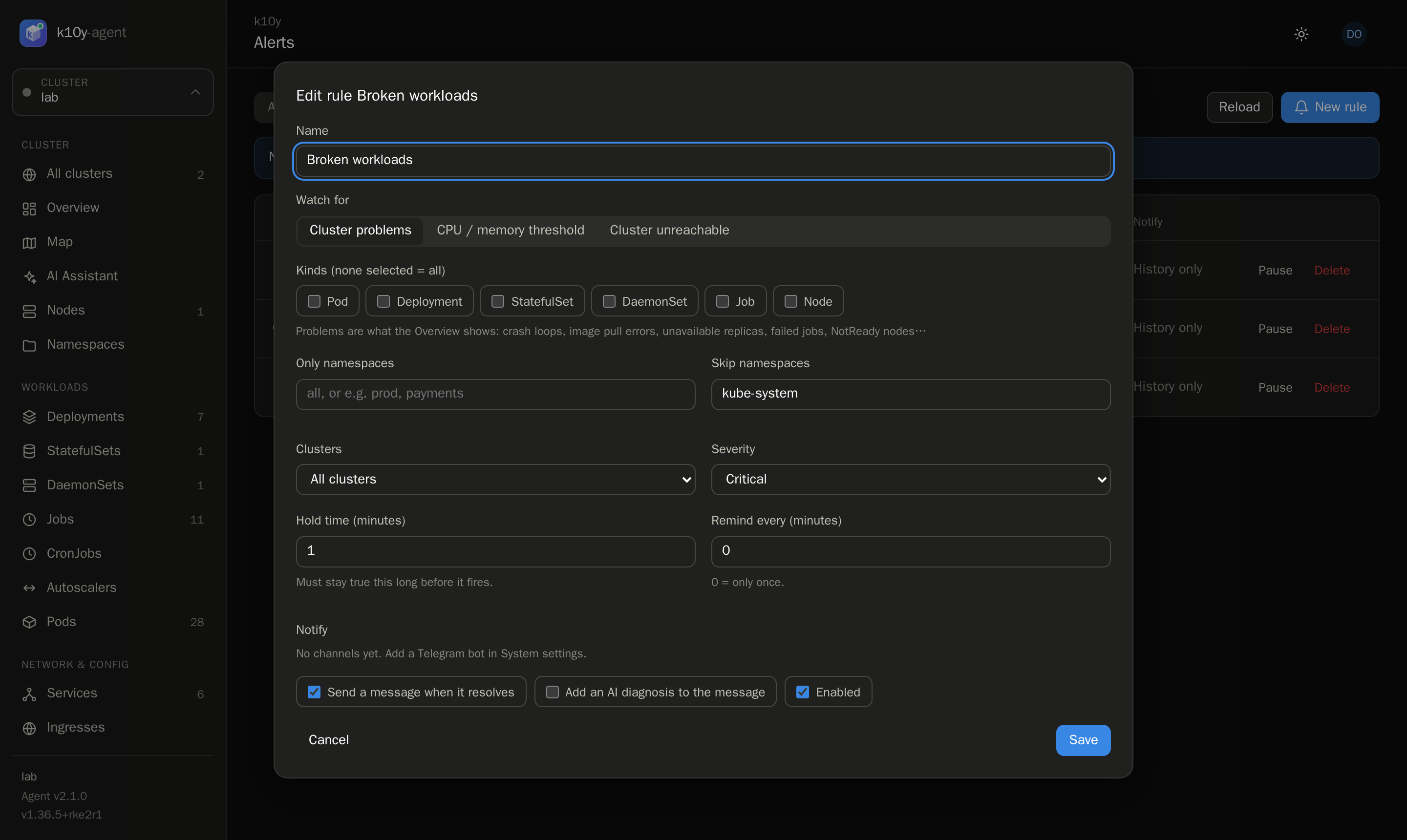
Alerts that wait
A hold time keeps blips quiet. Reminders, resolved messages, and history in PostgreSQL.
Live logs and shell
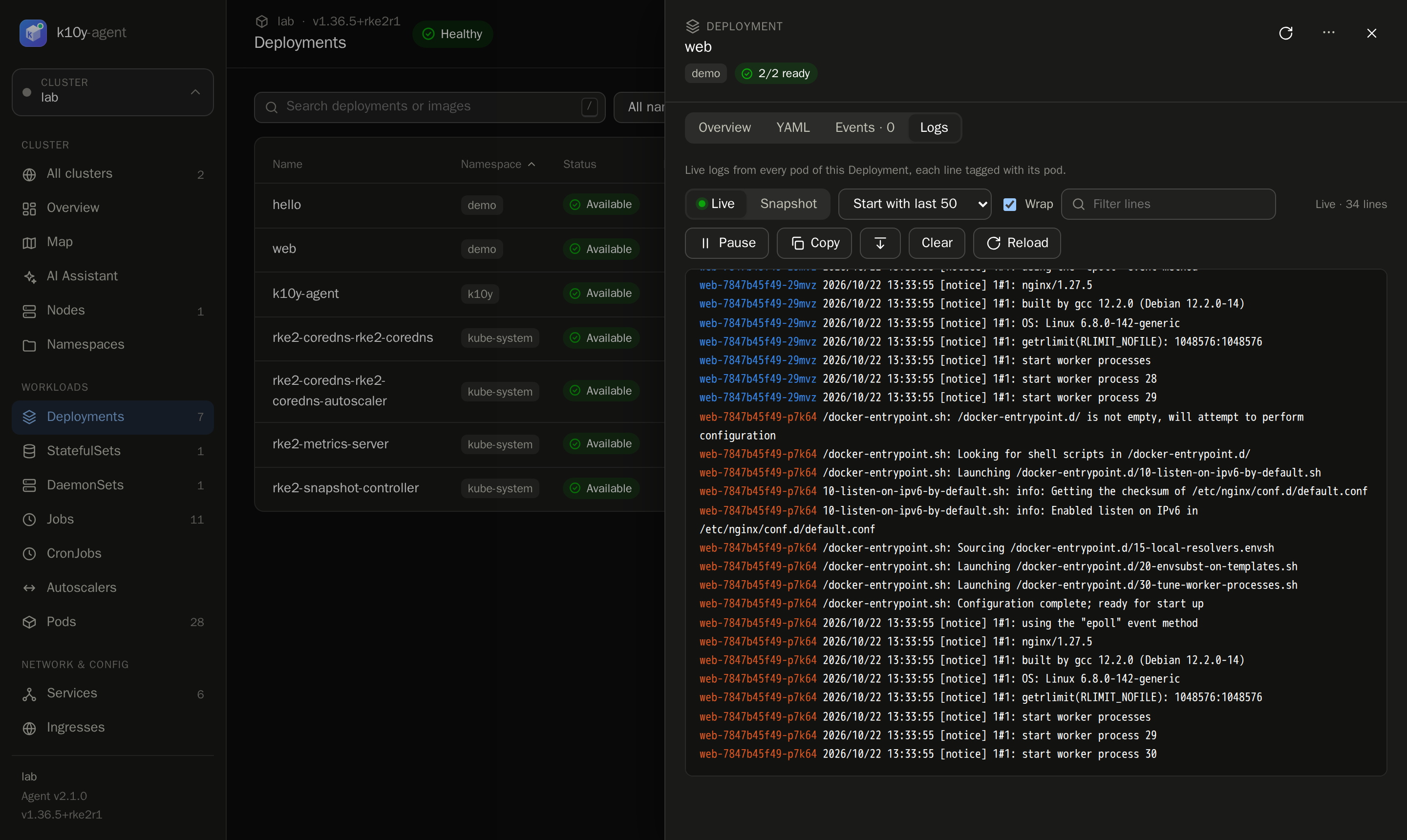
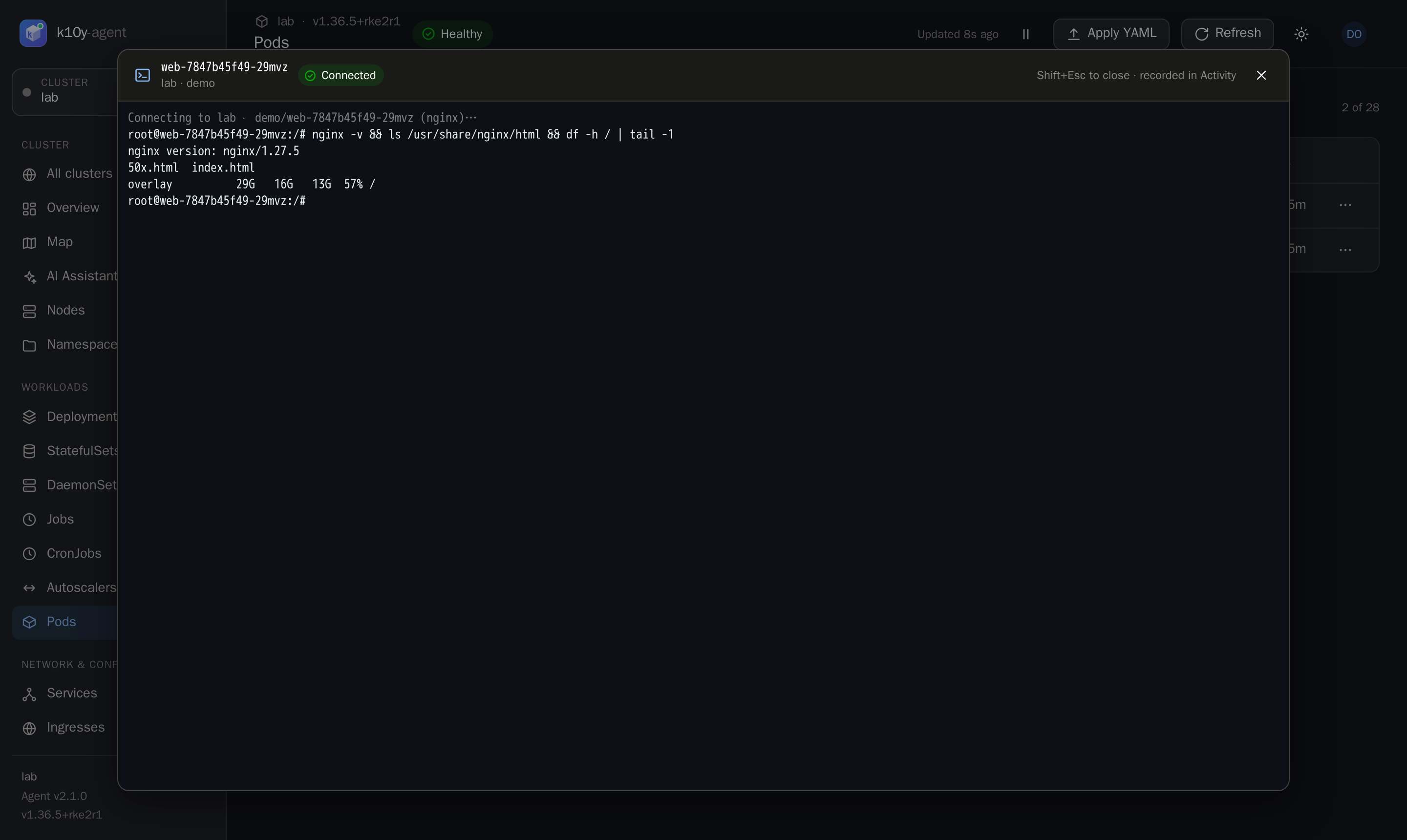
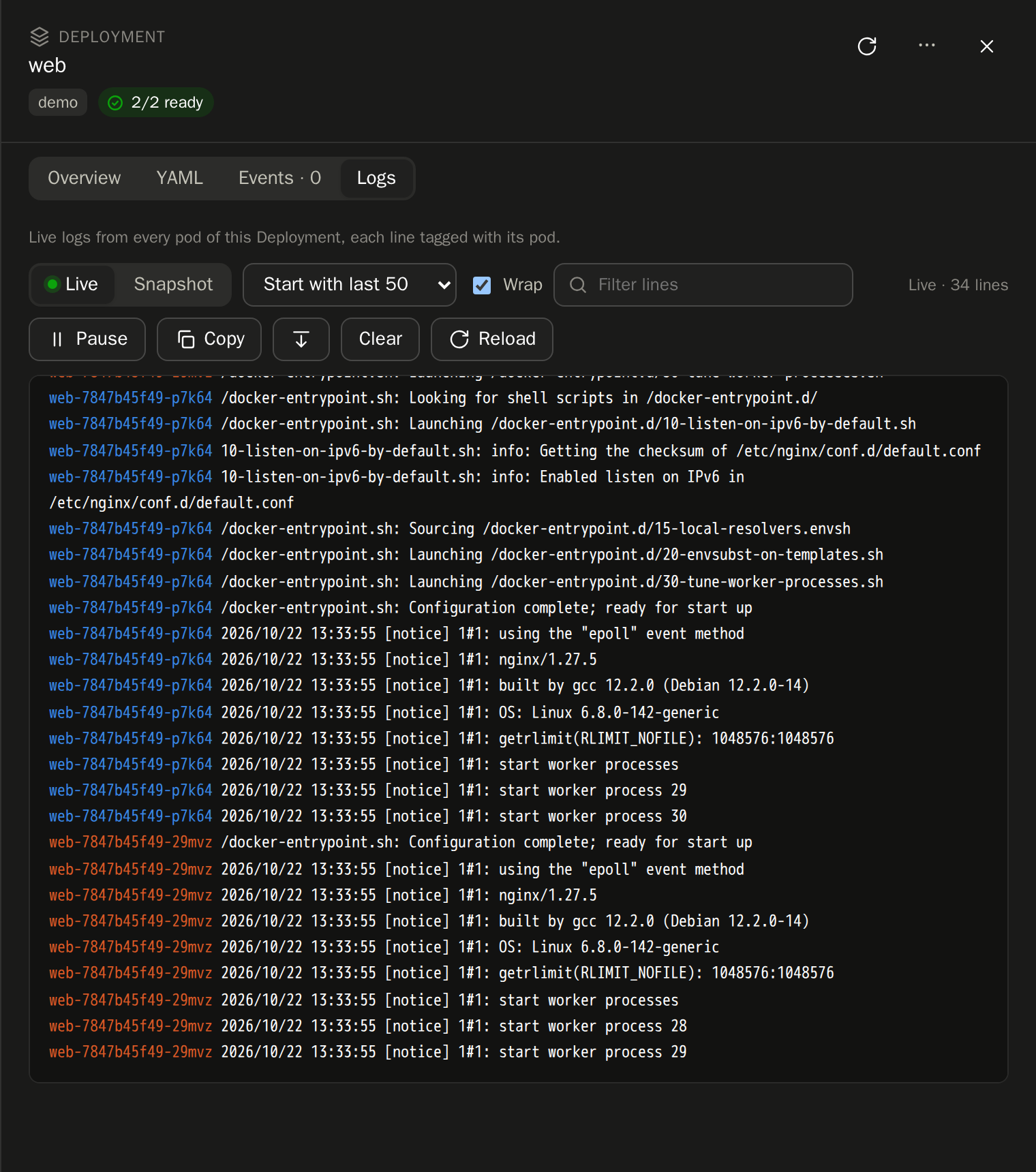
Follow every pod of a workload at once, or open a shell in a container. Both in the browser.
AI assistant
Gemini or any OpenAI-compatible model (optional; cluster data goes to the provider you choose). Read-only tools; you approve every fix.
k10y / lab / deployments / web / logs
Respond + fix fast
Everything included

One tool instead of five tabs

Multi-cluster

A cluster switcher with live health dots, and an all-clusters overview.

27 pages

Nodes, namespaces, every workload type, CronJobs, autoscalers, Ingresses, storage, config and events.

Relationship map

Ingress → Service → workload → Pod → ConfigMap, Secret or PVC. Broken links are flagged.

CronJobs

Run now, suspend and resume, with readable schedules like "every 5 minutes".

Per-user settings

Hide pages and set your theme and start page. Your settings follow you to every device.

CLI included

k10y status --all, logs, scale, roll back and apply, against any agent.

Security

Secure by default, not by checklist

k10y sits between people and your clusters, so it was designed to be the safest way in.

Identity

  • argon2id passwords, forced first change
  • Server-side sessions, sign out any device
  • Login rate limiting

Authorization

  • Fully custom roles
  • Per-cluster or global assignments
  • 21 fine-grained permissions

Data

  • HTTPS everywhere, no Ingress needed
  • Tokens and keys encrypted at rest
  • Secret values never leave the cluster

Accountability

  • Every action, login and shell audited
  • Automatic database backups
  • API-only agents, no side doors

How k10y keeps your clusters safe →

Roadmap

Built in the open, shipping fast

Nine releases so far, from the first agent to multi-cluster, the AI assistant, the hub, alerts and pod shells.

Shipped

  • Hub with roles and audit
  • Alerts to Telegram
  • Pod shell and YAML editing
  • Live logs

Next

  • Two-factor login (TOTP)
  • Slack, email and webhook alerts
  • Alert silencing

Later

  • Single sign-on (OIDC)
  • Long-term metrics (Prometheus)
  • Helm chart

See the full roadmap →

Bring calm to your clusters today

Free, self-hosted and running in five minutes.

Free and open source. Kubernetes is a trademark of The Linux Foundation; k10y is not affiliated with it.