
Logs and live logs
Needs the logs.view permission.
A single pod
Open a pod (click its row on Pods). The logs section has two modes:
- Live (default) follows new lines as they're written, like
kubectl logs -f. It starts with the last N lines and reconnects automatically if the connection drops. - Snapshot loads the last N lines once (up to 5,000).
Options:
- Container: shown when the pod has more than one.
- Previous container: the logs of the last crashed container. Use this for CrashLoopBackOff.
- Filter lines: shows only lines containing your text.
- Pause, Copy, Download (a
.logfile), Clear and Wrap.
The view keeps the newest 5,000 lines. Scroll up to read older lines; Jump to latest brings you back.
A whole workload
For a Deployment, StatefulSet, DaemonSet or Job, open its details panel and choose the Logs tab, or use Live logs in the row menu. You get one stream with the lines of every pod. Each line starts with its pod's name, coloured per pod.
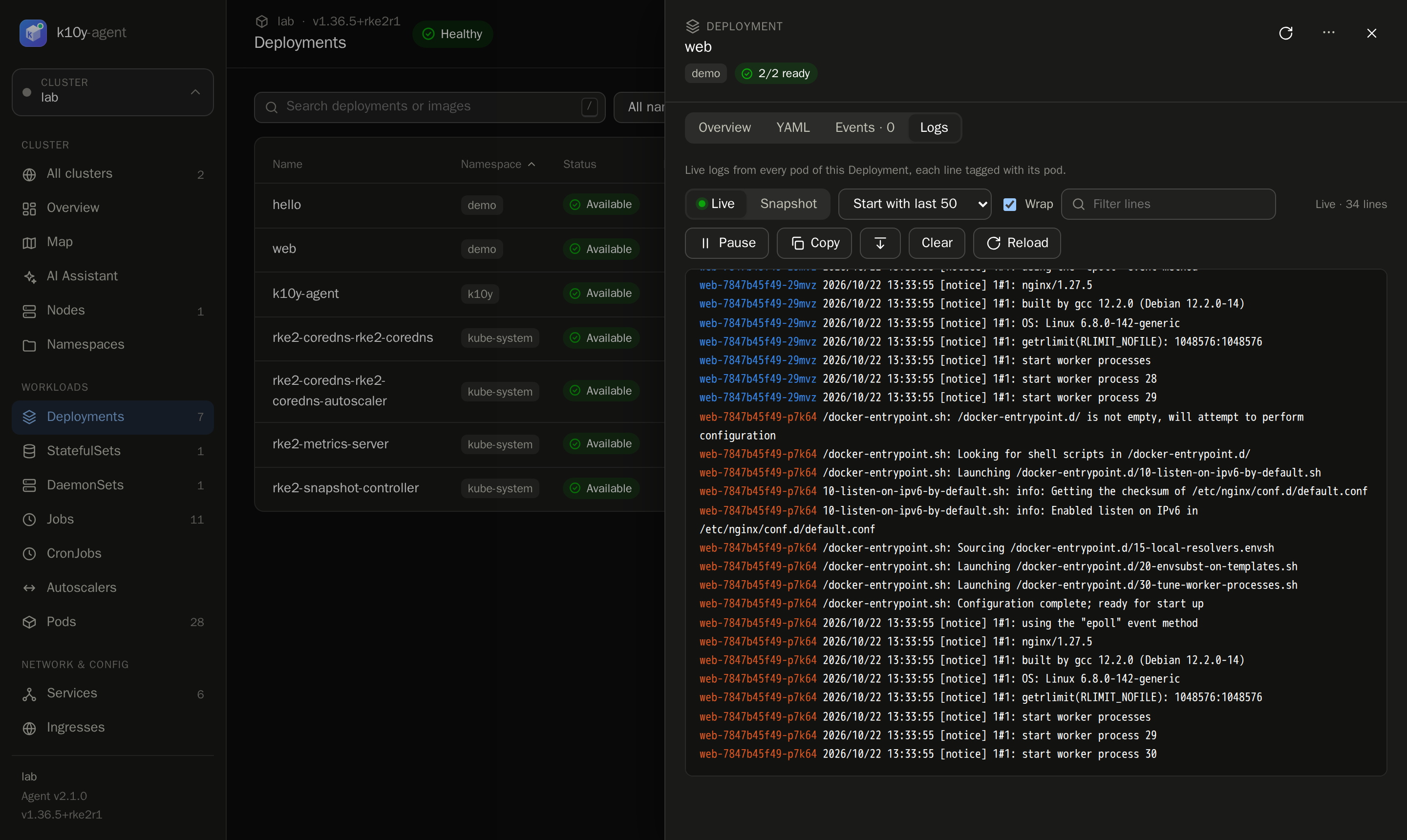
Up to 20 pods are followed at once. A stream ends after 30 minutes and then reconnects by itself.