
Alerts and Telegram
The hub checks your alert rules against every cluster every 30 seconds. When a condition has held for the rule's hold time, the alert fires and a message is sent. When the condition clears, it resolves, and you can get a message for that too. All alerts are kept in PostgreSQL and shown on the Alerts page.
1. Connect Telegram
You need the settings.manage permission.
- In Telegram, message @BotFather, send
/newbot, and copy the bot token. - Send any message to your new bot. For a group, add the bot to the group and post a message there.
- In k10y, open Administration → System settings → Alert channels → Add Telegram bot.
- Paste the token and click Find chats. Pick your chat, or paste a chat ID.
- Click Save & send test. A test message arrives in Telegram.
The bot token is stored encrypted. You can add several channels, for example one per team.
2. Create rules
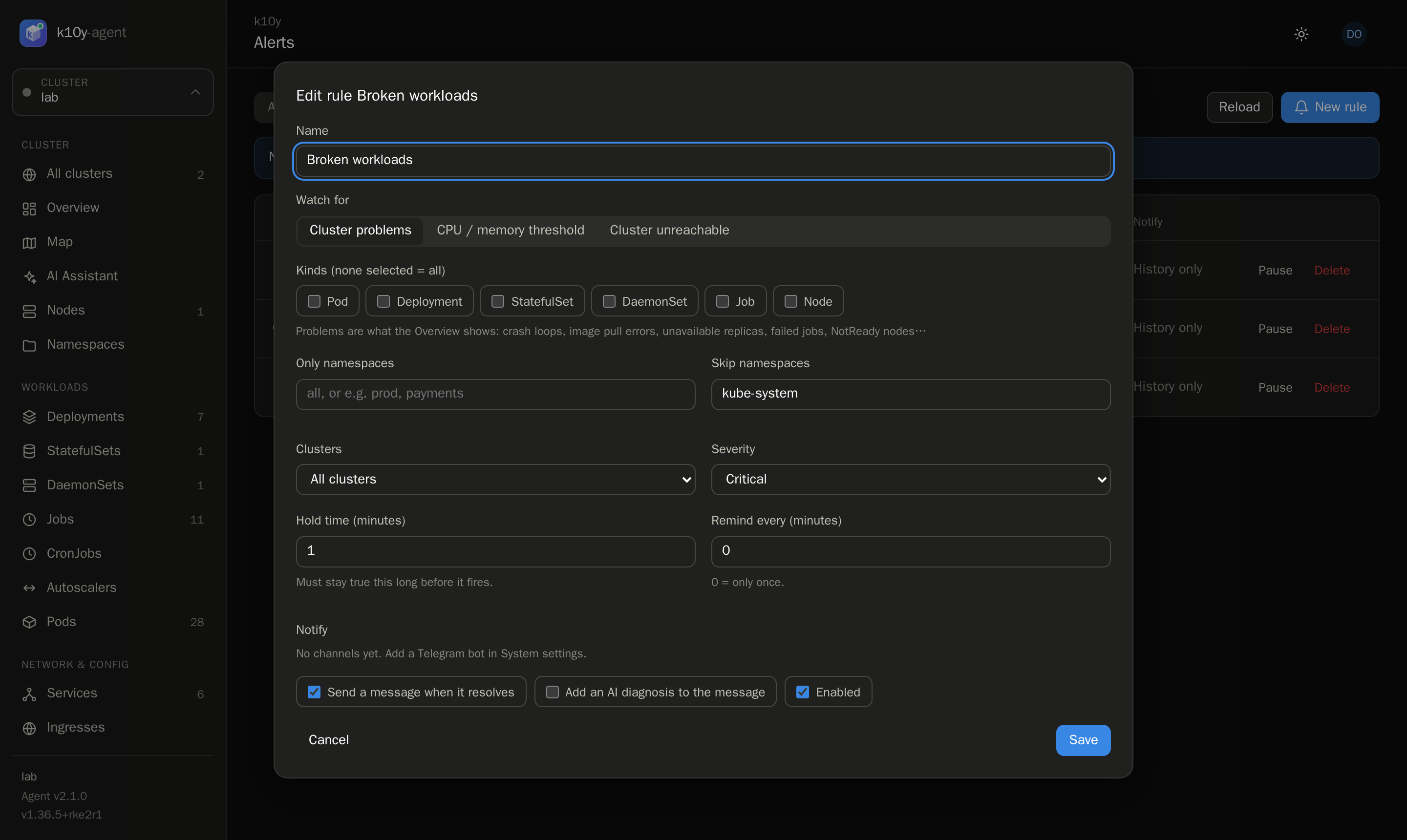
Open Alerts → New rule (permission alerts.manage). Empty pages offer three presets: Broken workloads, Node memory ≥ 90% and Cluster unreachable.
| Rule type | Fires when |
|---|---|
| Cluster problems | Anything on the Overview's problem list: crash loops, failing image pulls, OOM kills, pods pending too long, unavailable replicas, failed jobs, NotReady nodes, node pressure. Filter by kind, and include or skip namespaces. |
| CPU / memory threshold | CPU or memory reaches a percentage on any node or for the whole cluster. |
| Cluster unreachable | The hub can't reach the cluster's agent. |
Options for every rule:
- Clusters: all clusters, or one.
- Severity: critical, warning or info.
- Hold time: how long the condition must last before it fires. A short blip never sends a message.
- Remind every: repeat the message while the alert is still firing (0 = only once).
- Notify: the channels to message. With none, alerts are only recorded.
- Send a message when it resolves.
- Add an AI diagnosis: the AI assistant investigates the broken object and its answer is added to the message.
3. Watch alerts
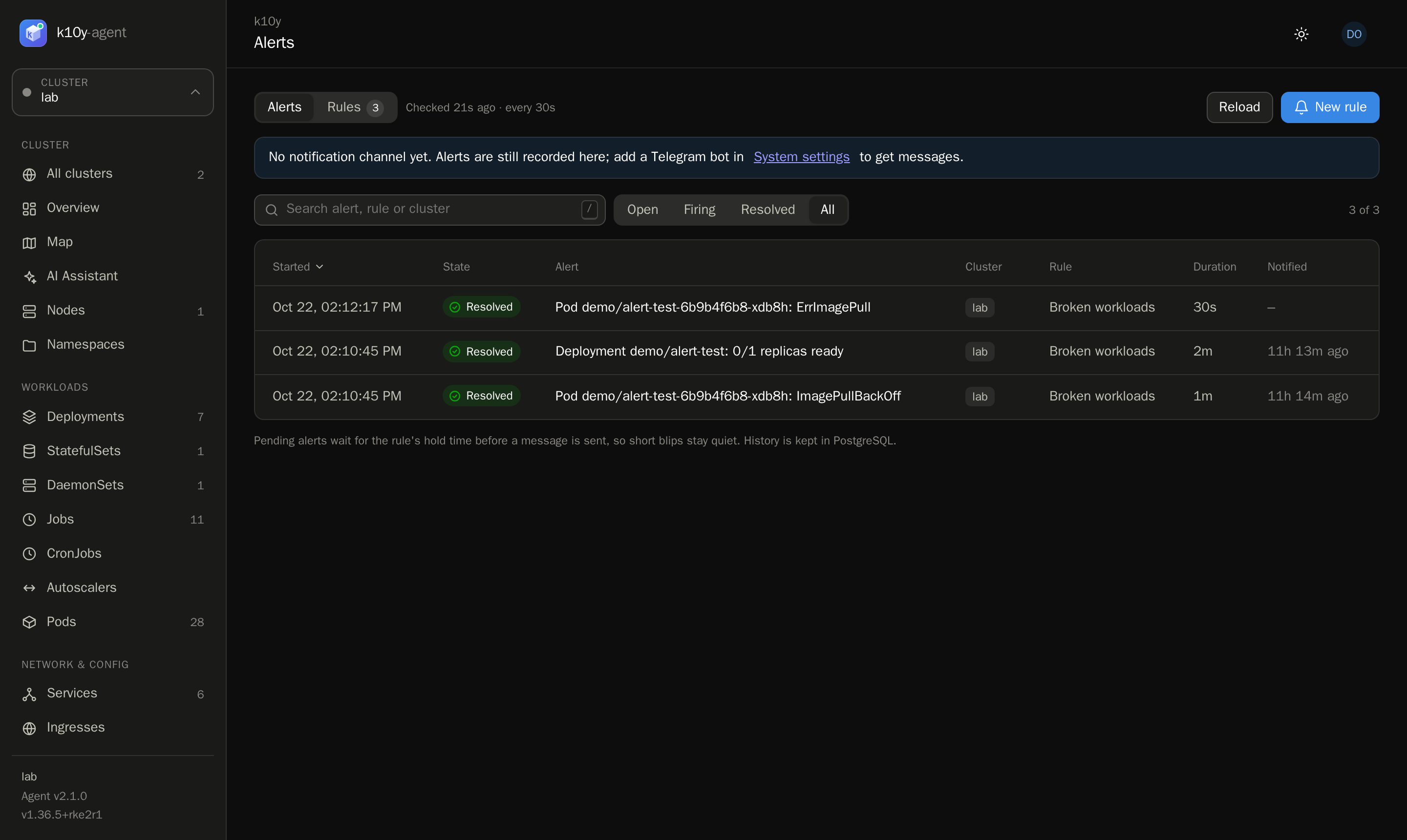
Alerts lists open alerts by default, with tabs for firing, resolved and all. Click one for its timeline (started, fired, resolved, notified), the object, any error sending the message, and the AI diagnosis.
Tips
- Set
K10Y_PUBLIC_URLon the hub so messages include a link back to k10y. - Skip noisy namespaces (for example
kube-system) in your problem rules. - If a message fails to send (wrong chat ID, bot removed from the group), the alert shows the error. It's only sent again if the rule has Remind every set, so use Send test on the channel after fixing it.